
Hines Supply4.0.5 - App Store
You'll be able to see results in few seconds.
Publisher Description
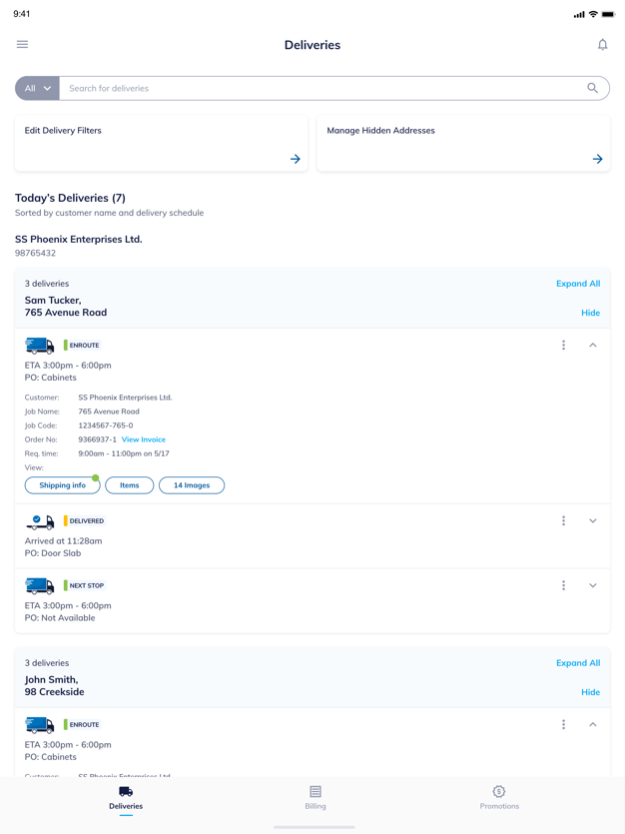
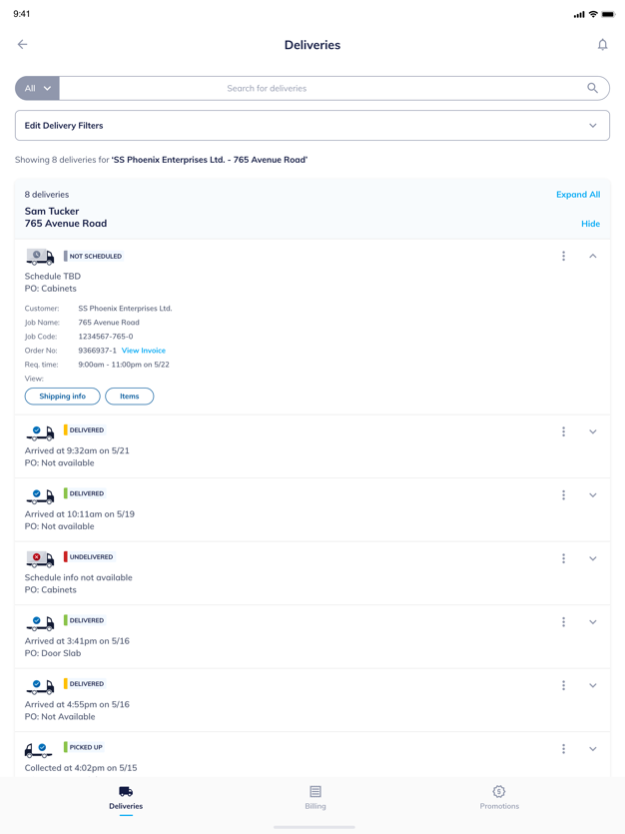
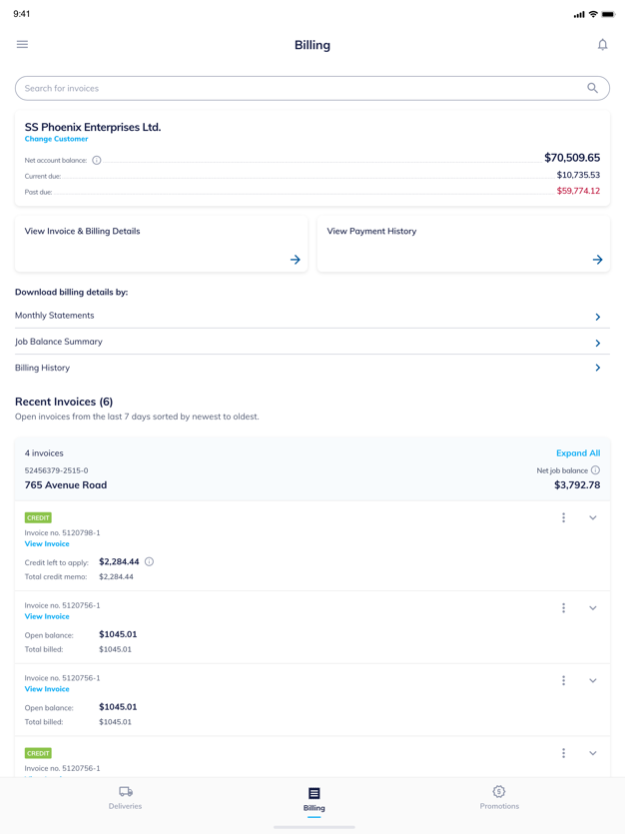
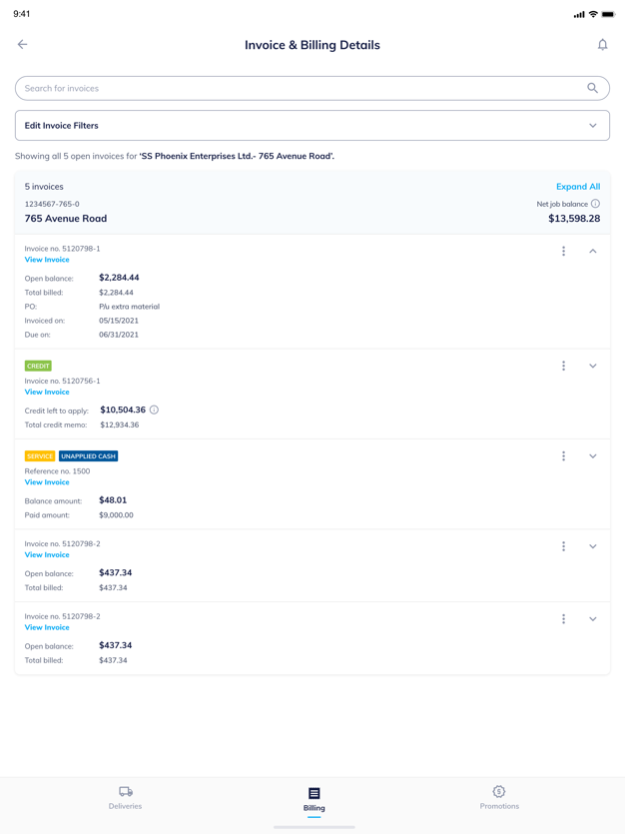
The Hines Supply app for your iPhone helps professional contractors save time and money. Our app makes it simple to track jobsite deliveries, check your billing information, sign up for events, promotions and more. Finally! An app that works as hard as you do.
Track Jobsite Deliveries
- Track deliveries with real–time GPS updates
- View photos of the delivered order
- Quickly send text messages with delivery status to your GC or Sub
- Report any issues with your delivery
- Review material list for accuracy
- Check recent deliveries and search delivery history
Check Billing Information
- View invoice copies and your monthly statements
- Access billing reports to help manage your account.
Check Our Latest Promotions and Events
- Browse and share current promotions and events
- Sign up for our events at a tap of a button
Whether you’re a contractor, builder, or remodeler, the Hines Supply Mobile App features tools that are just as important as your tape measure. Hope you find it useful.
Feb 9, 2025
Version 4.0.5
Security updates for login and data access.
About Hines Supply
The company that develops Hines Supply is US LBM HOLDINGS, LLC. The latest version released by its developer is 4.0.5.
To install Hines Supply on your iOS device, just click the green Continue To App button above to start the installation process. The app is listed on our website since 2025-02-09 and was downloaded 0 times. We have already checked if the download link is safe, however for your own protection we recommend that you scan the downloaded app with your antivirus. Your antivirus may detect the Hines Supply as malware if the download link is broken.
How to install Hines Supply on your iOS device:
- Click on the Continue To App button on our website. This will redirect you to the App Store.
- Once the Hines Supply is shown in the iTunes listing of your iOS device, you can start its download and installation. Tap on the GET button to the right of the app to start downloading it.
- If you are not logged-in the iOS appstore app, you'll be prompted for your your Apple ID and/or password.
- After Hines Supply is downloaded, you'll see an INSTALL button to the right. Tap on it to start the actual installation of the iOS app.
- Once installation is finished you can tap on the OPEN button to start it. Its icon will also be added to your device home screen.
Program Details
System requirements
Download information
Pricing
Version History
version 4.0.5
posted on 2025-02-09
Feb 9, 2025
Version 4.0.5
Security updates for login and data access.
version 4.0.2
posted on 2022-11-07
Nov 7, 2022
Version 4.0.2
We have made a couple of the enhancements you’ll find in the this update:
– We have made changes to the Billing module and Squashed some bugs to make the app more user friendly
version 4.0.1
posted on 2022-04-21
Apr 21, 2022 Version 4.0.1
We have made a couple of the enhancements you’ll find in the this update:
– We have made changes to the Billing module and Squashed some bugs to make the app more user friendly
version 3.0.12
posted on 2020-05-26
May 26, 2020 Version 3.0.12
V3.0.12 includes new features
version 3.0.2
posted on 2018-05-24
May 24, 2018 Version 3.0.2
V3.0.2 with new app features
version 3.0.2
posted on 2018-05-24
24 May 2018 Version 3.0.2
V3.0.2 with new app features
version 2.6
posted on 2014-03-21
version 3.0.12
posted on 1970-01-01
26 maj 2020 Version 3.0.12
V3.0.12 includes new features
version 3.0.12
posted on 1970-01-01
26 mai 2020 Version 3.0.12
V3.0.12 includes new features
version 3.0.2
posted on 1970-01-01
2018年5月24日 Version 3.0.2
V3.0.2 with new app features
Disclaimer
Official App Store Link
We do not host Hines Supply on our servers. We did not scan it for viruses, adware, spyware or other type of malware. This app is hosted by Apple and passed their terms and conditions to be listed there. We recommend caution when installing it.
The App Store link for Hines Supply is provided to you by apps112.com without any warranties, representations or guarantees of any kind, so access it at your own risk.
If you have questions regarding this particular app contact the publisher directly. For questions about the functionalities of apps112.com contact us.
